Ubunya vs Discord
Discord is for chatting. Ubunya is for learning.
Discord has the best real-time chat and voice of any platform here, and it is free. But it has no courses, no cohorts and no record of who attended or paid. Ubunya gives a training organisation the structure, and can still give learners access to your Discord server.
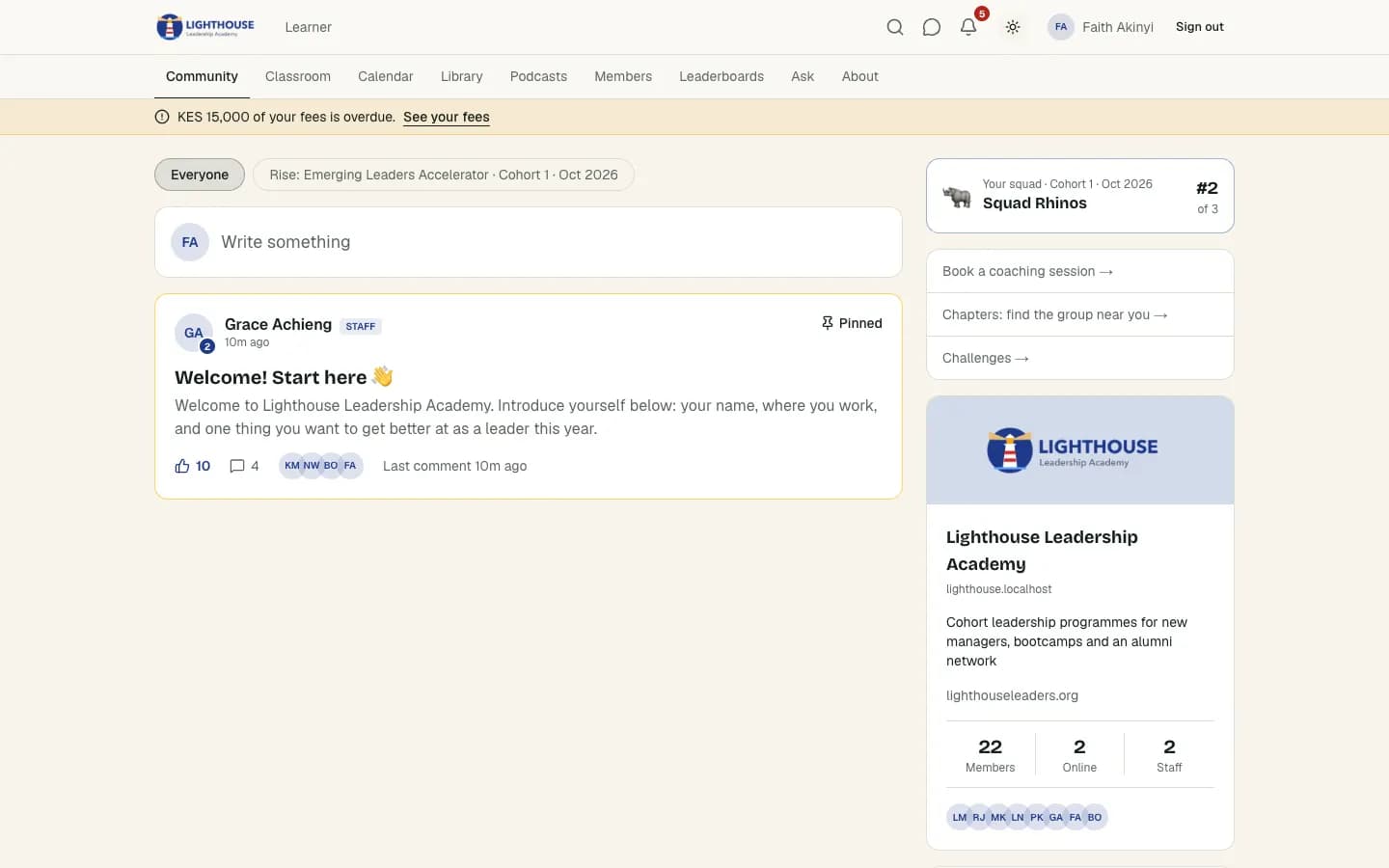
The short answer
Choose Discord if
- Your community is mainly live chat and voice, with no courses.
- Your members are already on Discord and you don't need to track attendance or fees.
- You want something free and are happy to add bots for structure.
Choose Ubunya if
- You teach courses and run cohorts with sessions and graduation.
- You need to know who attended, who paid and who completed.
- Your learners aren't gamers and find Discord's channels confusing.
- You want to keep Discord for chat but run the programme somewhere structured.
Discord and Ubunya at a glance
- Price
- Discord: Free
- Ubunya: One plan agreed with you, paid by invoice in your currency. Every feature is included.
- Fee on payments
- Discord: 10% on server subscriptions, plus processing
- Ubunya: 0%
- Best for
- Discord: Real-time chat and voice
- Ubunya: Structured programmes and cohorts
- Courses
- Discord: None without third-party tools
- Ubunya: Built in, with progress and quizzes
Feature by feature
| Feature | Ubunya | Discord |
|---|---|---|
| Community feed, categories and polls | Forum channels | |
| Courses, lessons and progress | ||
| Points, levels and leaderboards | Through bots | |
| Live sessions | Live rooms in the browser, with breakout groups and recording | Voice channels and Stage |
| Admissions | Application forms with a review queue | Membership screening |
| Cohorts | Intakes with seats, dates and class times | |
| Attendance | Online and in person, with QR check-in | |
| Certificates | Issued on completion, with a public check page | |
| Small groups | Squads inside each cohort | Channels and roles |
| Impact reporting | Impact reports and follow-up surveys | Server insights |
| Payments made outside a card checkout | Bank transfer, M-Pesa, UPI, Pix, card and cash recorded, with receipts and balances | Card subscriptions only |
| One payer for many learners | An employer or sponsor pays for several learners | |
| WhatsApp and SMS | WhatsApp and SMS reminders and announcements | |
| Email broadcasts and automatic sequences | ||
| Phone app | Installable app under your own name and logo | Discord app |
| Web address | ubunya.com/yourname, or your own domain | discord.gg invite link |
| Developer access | Public API, MCP server and CLI | Bot API |
| Fee on what learners pay | 0% | 10% on subscriptions |
Discord details as of November 2026, from Discord server subscriptions and published reviews. Prices and fees change, so check Discord's site before you decide.
What Discord really costs
The plan price is only part of the bill. Here is what each platform costs a month when 200 learners each pay $50 ($10,000 a month), on the cheapest plan that can sell memberships, billed yearly where offered: the plan, the platform's fee, and card processing where it is charged separately.
| Platform | Monthly cost | How it adds up |
|---|---|---|
| Skool Pro | $372 | $82 plan (yearly) + 2.9% Skool fee |
| SchoolMaker | $386 | $36 plan (yearly) + 0% + Stripe |
| Kajabi Basic | $493 | $143 plan (yearly) + 0% + Kajabi Payments |
| Mighty Networks Launch | $629 | $79 plan (yearly) + 2% + Stripe |
| Whop | $630 | $0 plan + 3% community fee + 2.7% + $0.30 |
| Circle Professional | $639 | $89 plan (yearly) + 2% + Stripe |
| Skool Hobby | $1,008 | $7.50 plan (yearly) + 10% Skool fee |
| Patreon | $1,350 | 10% platform fee + 2.9% + $0.30 |
| Discord | $1,600 | 10% fee + about 6% desktop processing |
| Ubunya | Your plan | One plan by invoice and 0% on learner payments. Learners pay you directly, by bank transfer, mobile money, card or cash, so nothing passes through Ubunya. |
Worked from each vendor's published prices in November 2026. Fees change and card rates vary by country, so check before you decide.
Cohorts, not just a membership
Discord organises people into servers, channels and roles. You can make a channel per cohort, but nothing knows when an intake starts, who was admitted or who finished. Ubunya starts from the programme: you open an intake with a start date, seats and class times, people apply, your team admits them, and they move through the cohort together until graduation.
Every learner has a record that follows them: which intake they joined, which sessions they attended, what they paid and which certificate they earned. When a funder or board asks how the last cohort went, the answer is already there.
If you only need an open membership that anyone can join with a card, Discord may be all you need. If you admit people into programmes that start and finish, that structure is what Ubunya is for.
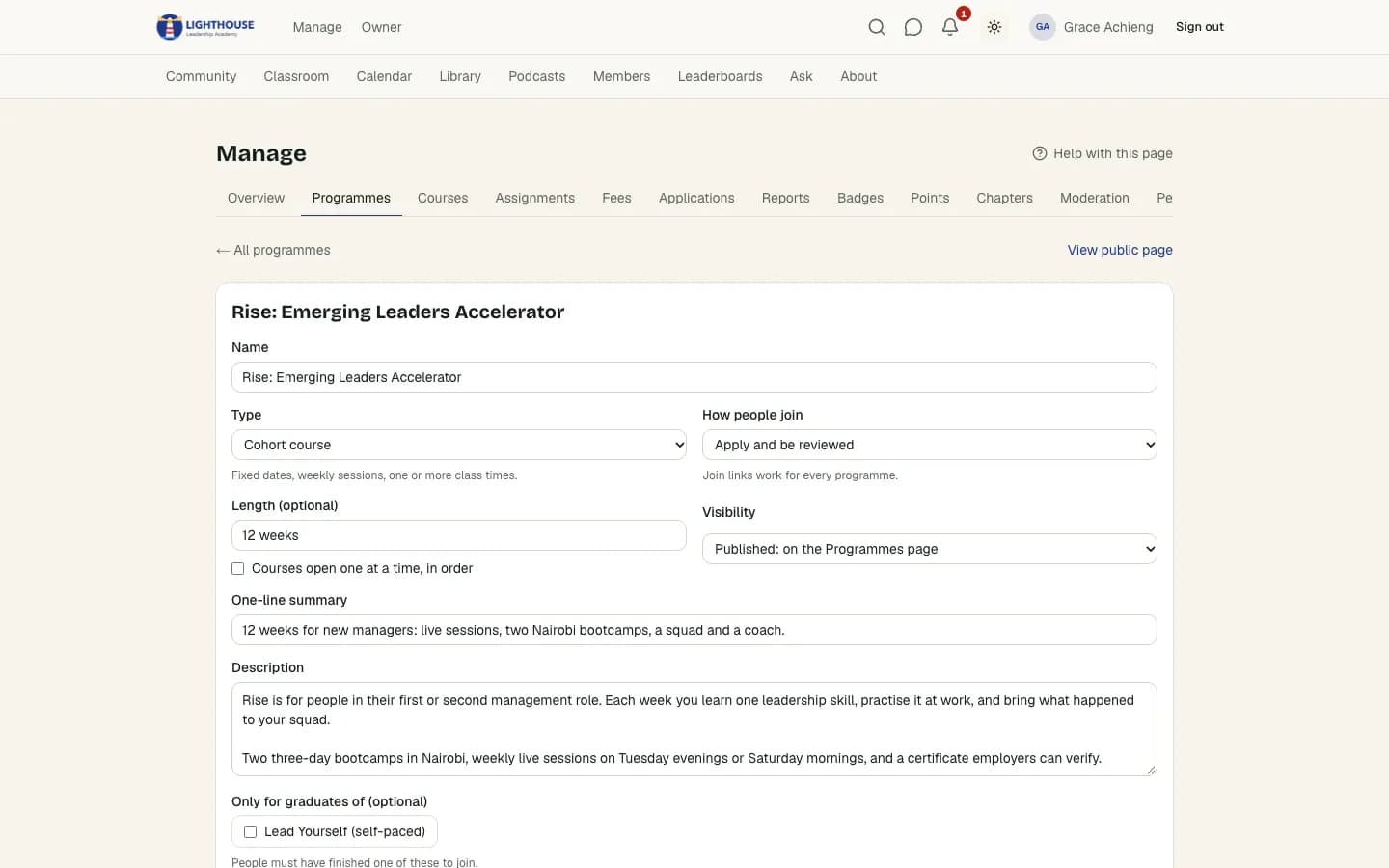
Keep Discord for chat, run the programme in Ubunya
Many communities don't want to leave Discord, and they don't have to. Ubunya can give paying learners a role on your Discord server and a place in your Telegram group, and remove it when their access ends.
The courses, live sessions, attendance, fees and certificates live in Ubunya, where they're easy to find and report on, while the chatter can stay where your members like it.
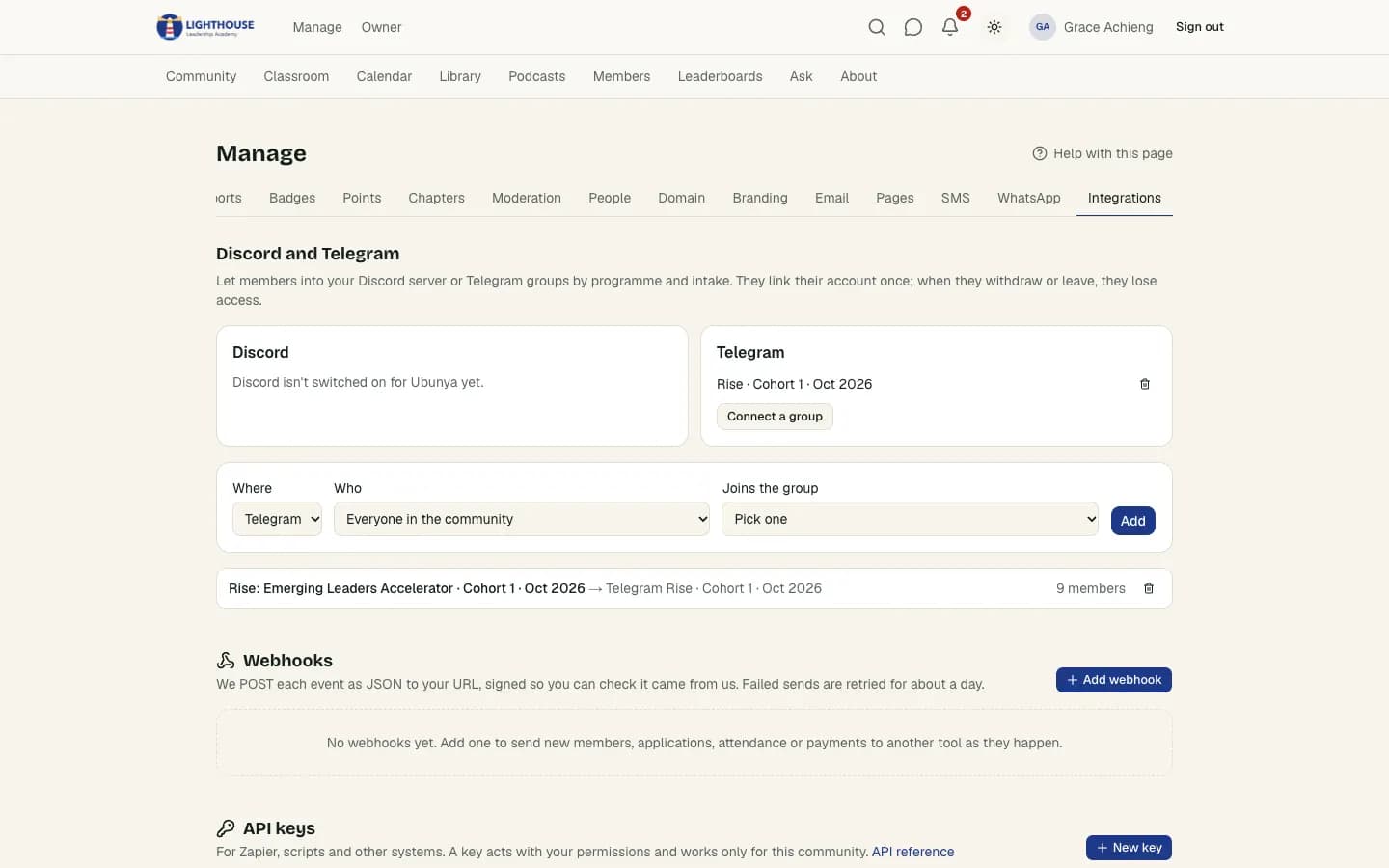
Attendance and certificates that prove the work
Discord's voice channels have no attendance record, and there's no way to issue certificates. In Ubunya, people who join a live session are marked present automatically, and for in-person days staff can tick a register or learners can scan a QR code at the door, even on a weak connection.
Completion rules can require attendance as well as lessons. When a learner finishes, their certificate is issued with a public check page, so an employer can confirm it is genuine.
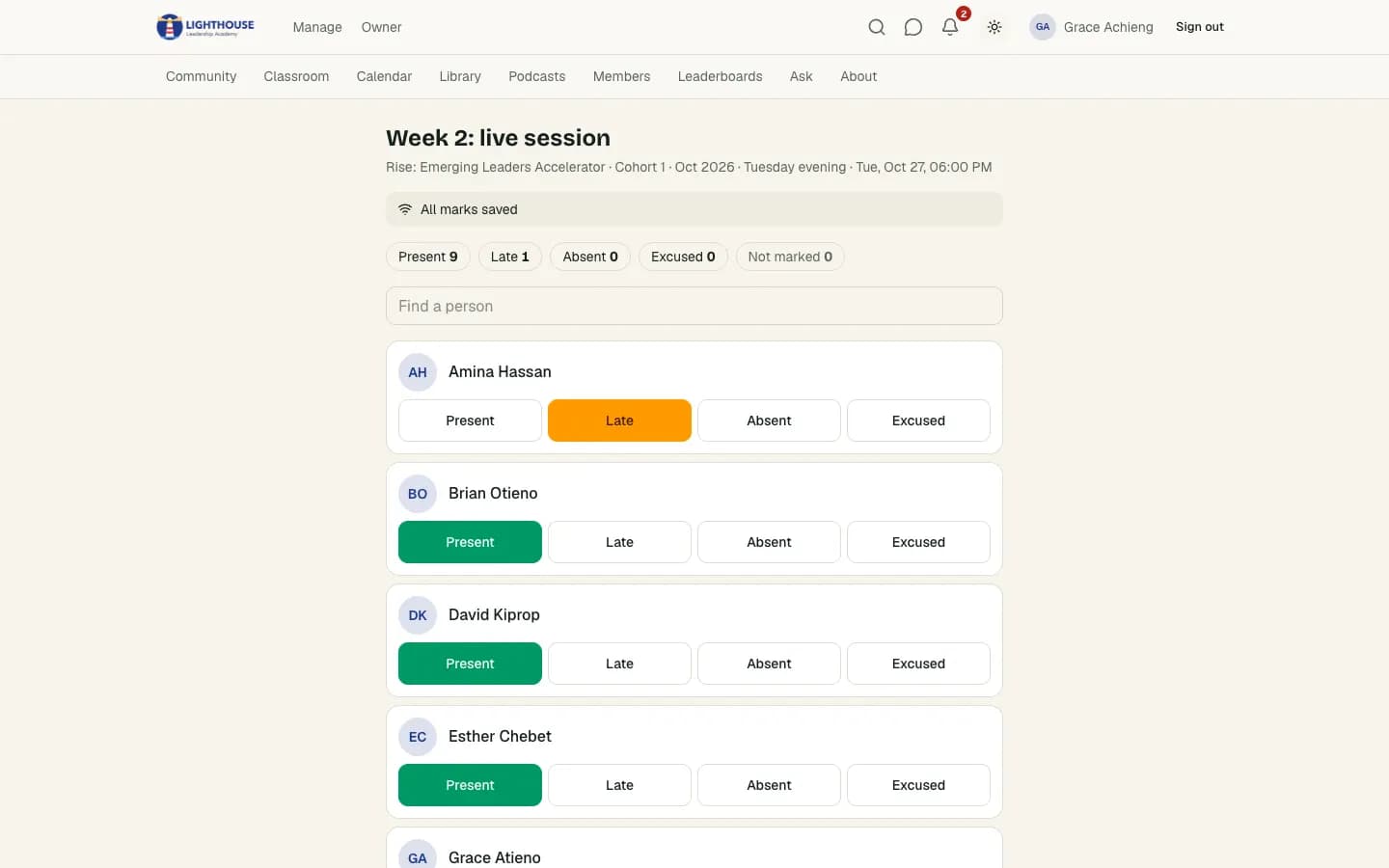
Getting paid the way your learners pay
Discord's server subscriptions take 10% plus payment processing, and only by card. Many of the organisations we work with are paid by bank transfer, mobile money such as M-Pesa, UPI or Pix, a company cheque, a card on their own machine (Visa, Mastercard, American Express) or cash at the first session, often in instalments.
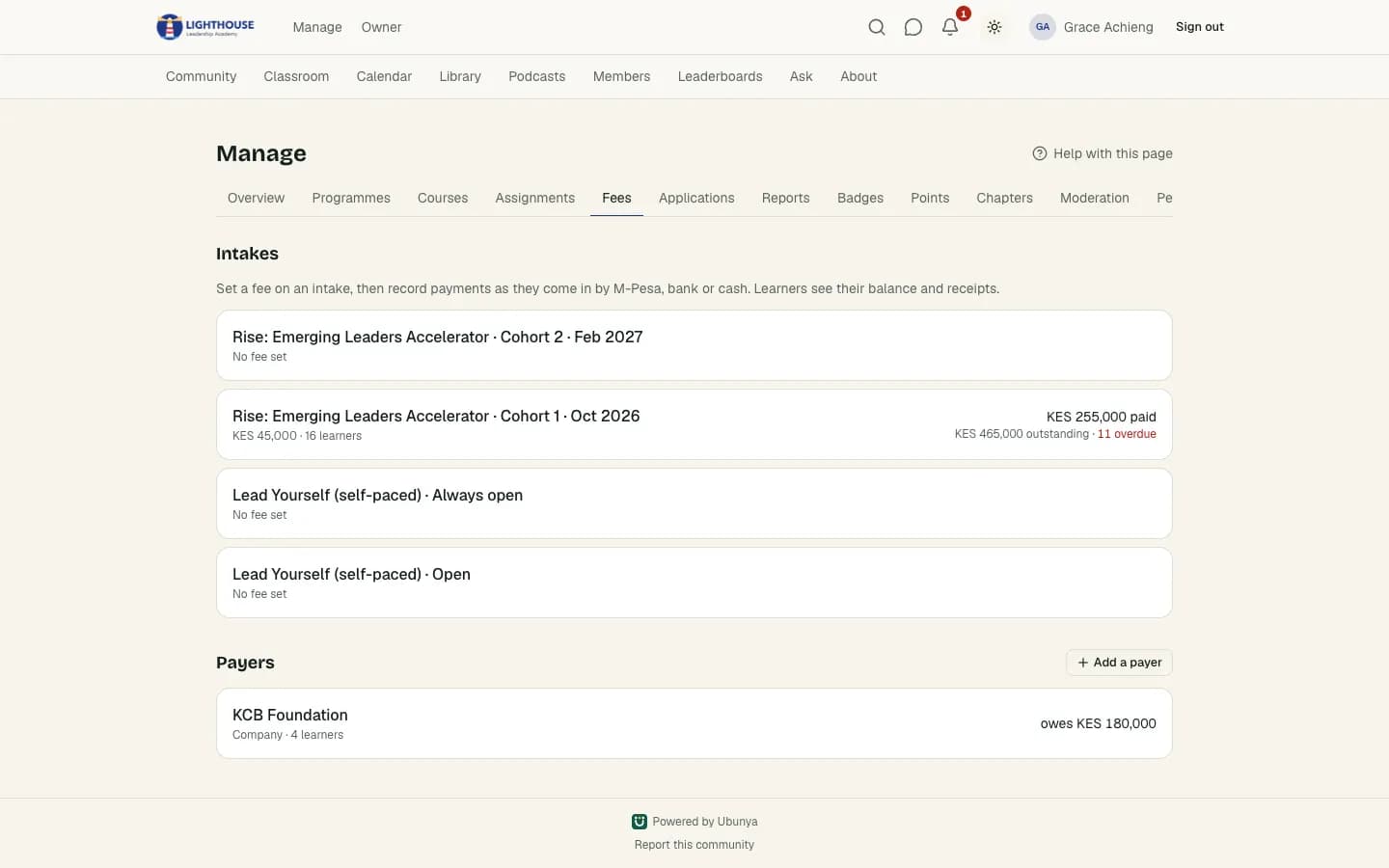
Ubunya records each payment against the learner's fee account, issues a receipt, shows the balance and reminds people before an instalment is due, by email, WhatsApp or SMS. Nothing is taken from what your learners pay: Ubunya charges 0%.
When an employer pays for ten staff, one payer covers all ten seats and gets one invoice, while each learner still has their own place in the cohort.
Where Discord is the better choice
No platform suits everyone. Discord does these things better than Ubunya:
- Real-time chat and voice: Discord is faster and more lively than any course platform.
- Free, with a huge user base, especially among younger and tech audiences.
- Endless bots and integrations for people who like to tinker.
Moving from Discord to Ubunya
- Request a community. We set it up with your name, logo and colours, at ubunya.com/yourname or on your own domain.
- Import your members from a CSV export, with their names, emails and phone numbers.
- Recreate your programmes and courses. Lesson videos can be uploaded or embedded, and we can help with the move when we agree your plan.
- Connect your Discord server so learners get the right roles automatically, and keep chatting there if you like.
Questions
Is Ubunya a Discord alternative for courses?+
Yes. Discord is built for chat and voice and has no courses or cohorts. Ubunya has courses, live sessions, attendance, fees and certificates, and can still connect to your Discord server.
Can I use Discord and Ubunya together?+
Yes. Ubunya can give paying learners a role on your Discord server and a place in your Telegram group, and take it away when their access ends.
Does Discord charge fees?+
Discord is free, but server subscriptions carry a 10% fee plus payment processing. Ubunya charges 0% on what learners pay.
Other comparisons
Bring your next cohort to Ubunya
Request a community today. We review every request by hand.